No more “where did I put that note?”
Write freely. Find it fast
A notes app that keeps the note you need right at hand.

BijaVault is a Markdown notes app. Everything you write stays on your device as a plain text file, and you can access or copy it from the Files app at any time.
No matter how many notes you have, the one you need is just a filter away.
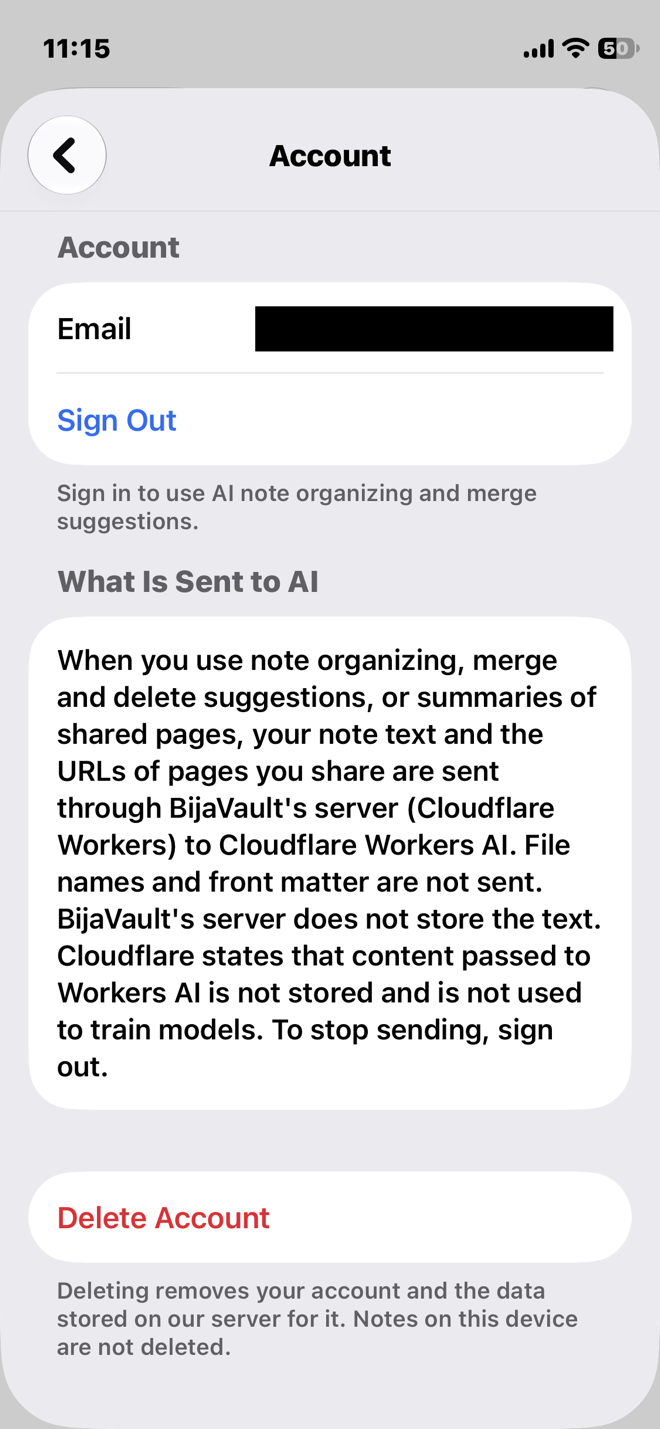
Note organization runs through the server only while you are signed in. If you don't sign in, your note text is not sent for AI processing.
Nothing is locked into a proprietary format, so your files stay readable even if you stop using the app.
Write what you see
Add headings, bold text, lists, tables, and code without typing the markup yourself. Everything is saved as Markdown.

Find it later
Filter by the type and tags at the top of each note, then search the text and file names from there. Plain keyword searches pull up every similar note at once, which is why filtering comes first. Two-character Japanese words are searchable too.

Let your notes sort themselves
BijaVault reads each note and adds its type, title, and tags at the top of the file. Anything you have already written stays as it is.
When two notes look similar, it suggests merging them or deleting one. You decide whether to go ahead, and you can undo it right away.
Note organization only runs while you are signed in. Your note text passes through the server to be organized. It is not stored there and is not used to train AI. If you don't sign in, your note text is not sent for AI processing.
Where your notes live
In Documents/Notes inside the app, as plain .md files.
Use cases
- Open it and start writingWorkBijaVault opens on a new, blank note. No folder to pick, no title to think of first.
- Find that one note againWorkNarrow the list by type and tag first, then search the text of just those notes.
- Save an article with a summaryLearningShare a web page to BijaVault from your browser to save its title and URL. If you are signed in, a summary of the article is added later.
- Move the notes you still need from Apple NotesLifeSend notes one at a time from the Share button in Apple Notes. The original stays in Apple Notes.
- More notes, no wait to start writingWorkHowever many notes you have, the new note screen opens without waiting for the list to load. BijaVault doesn't reread every note each time you open it.
- Find one word inside a long noteLifeWith a note open, tap the magnifying glass at the top right. Every match in the note is highlighted, and the arrows take you from one to the next.
Access and pricing
Reading, searching, and exporting your existing notes is always available, whether or not you have purchased anything. Creating new notes and editing their content requires one of the following:
- An active subscription (your first subscription includes a one-month free trial)
- Three days of access unlocked by watching a rewarded ad
- Monthly4.99 USD
- Yearly47.99 USD
Prices and billing periods are as shown on the App Store product page.
Reading, searching, and exporting the notes you have already written stays free. Not paying never locks you out of your own notes.
If you go a long time without active access to create or edit notes, your notes are removed from the list in the app, but they are not deleted. They move to an Archive folder in Documents, where you can still access them in the Files app.
A vault that holds your seeds and nurtures the future
“Bija” is the Sanskrit word for “seed.”
Every note you jot down in everyday life is the seed of an idea for the future.
BijaVault is a vault that keeps those seeds safe and tends to them until they sprout into something wonderful.
Documents
Contact
Send questions, requests, or bug reports by email toinfo@bija-vault.com, or reach out on our official X account,@Bija_Vault. We reply within a few business days.